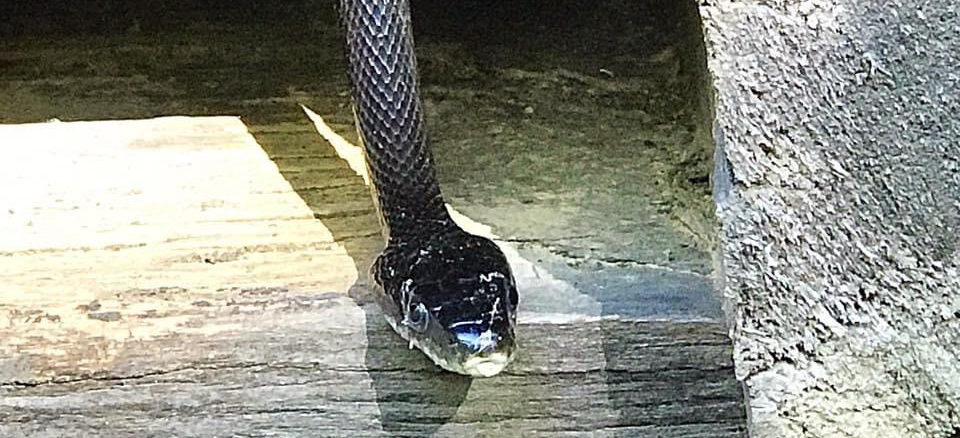
 Photo ©
Marie Taylor
Photo ©
Marie Taylor
By Robyn Bailey, NestWatch Project Leader
At NestWatch, we’re always happy for our data to be used in new and interesting ways, and the latest study to cross my desk is no exception. The stars of the study were not birds, but they do lay eggs: gray ratsnakes (Pantherophis obsoletus alleghaniensis)! When researchers in central Mississippi stumbled across an abandoned shed where they found old snakeskins, they decided to set up cameras to record what the snakes were doing.
The authors of the study (Hensley and Hensley 2023) were looking for insights into ratsnake behavior, and they wondered if the availability of birds’ nests (among other variables) could be a significant factor in explaining ratsnake climbing behaviors. To establish when peak nesting season for the region occurs, they used 950 NestWatch records for 62 species from 2009–2019. They then compared graphs of peak nesting season to peak climbing times of snakes, and the results were somewhat surprising.
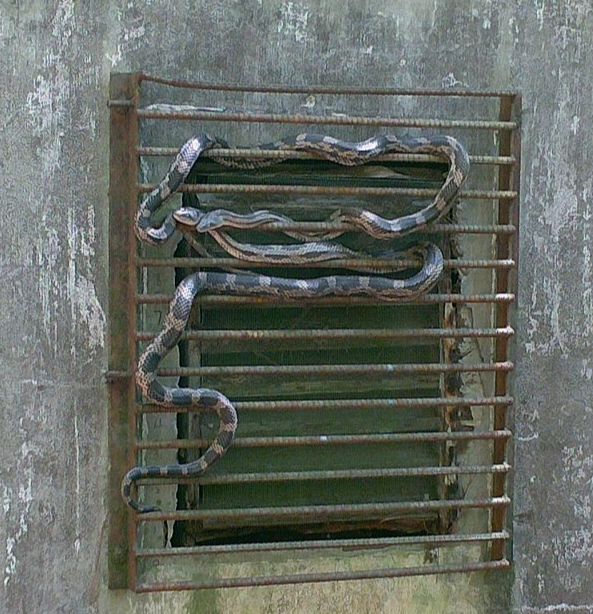
Cheek To Cheek
Gray Ratsnakes gather at "The Snake Shed" to shelter, drink water, and potentially find mates. It was a convenient place to access the canopy for basking.
The comparison revealed that climbing activity peaked very early in the local avian nesting season, but then declined swiftly while eggs and nestlings were still abundant. This finding is consistent with earlier observations that mammals comprise the majority of ratsnake meals, even during prime nesting time (Weatherhead et al. 2003).
Because people who monitor nests do sometimes find ratsnakes in nest boxes or near empty nests, there is a tendency to vilify them as voracious predators of birds’ nests. However, they are called “ratsnakes” for a reason—because they primarily eat small mammals. We just happen to see them when they are in the same place we are, like at a nest box.
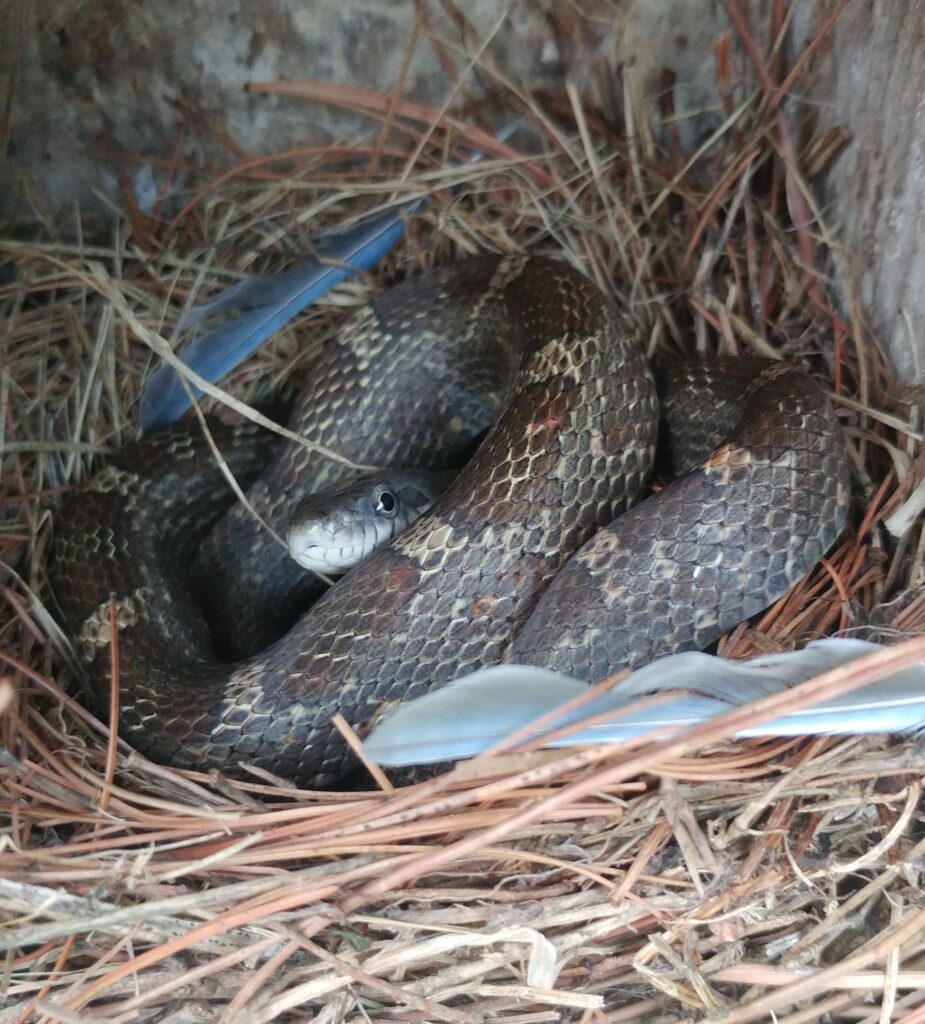
Mea Culpa
This gray ratsnake in Tennessee likely just consumed the Eastern Bluebird eggs that had been in this box. While they do eat eggs and nestlings, the majority of their diet is made up of small mammals.
What can you do about snakes?
Data from videos of open-cup bird nests have shown that the proportion of nests depredated by snakes is highest in the southeastern United States, although overall nest predation rates were lower in southern latitudes (DeGregorio et al. 2016). If you are experiencing more than the occasional loss due to snakes, you can install a predator guard on nest boxes or a tree wrap to protect nests in trees. Both are scientifically-demonstrated means of reducing nest predation (Bailey and Bonter 2017, Navalpotro et al. 2021). Killing snakes may be illegal depending on the species of snake and where you live. Snakes are also prey items for many birds such as owls, herons, hawks, and roadrunners; in fact, this snake study may have recorded a Red-tailed Hawk preying on a ratsnake (although the footage is not definitive).
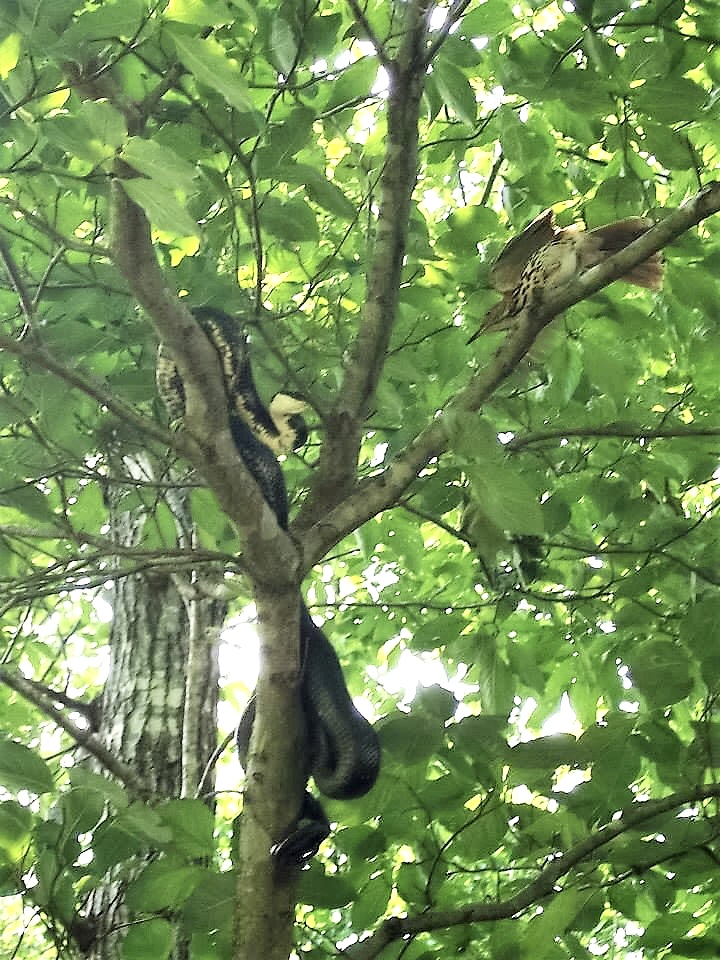
Not On My Watch
A Brown Thrasher harassed this western ratsnake into leaving the area, but only after it succeeded in taking one chick from the nest.
Predators are part of a healthy ecosystem, and it’s important to have realistic expectations about the nests that we monitor. But this new study from Hensley and Hensley (2023) adds to a body of evidence that ratsnakes are engaged in a variety of activities that aren’t specialized around hunting birds. Interested readers can find the full study here and a fun gallery of photos from “The Snake Shed” here.
References:
- Bailey, R. L., and D. N. Bonter. 2017. Predator guards on nest boxes improve nesting success of birds. Wildlife Society Bulletin 41(3):434–441.
- DeGregorio, B. A., S. J. Chiavacci, T. J. Benson, J. H. Sperry, and P. J. Weatherhead. 2016. Nest predators of North American birds: continental patterns and implications. BioScience 66:655–665.
- Hensley, F. R., and C. I. Hensley. 2023. Patterns of habitat use and behaviors by gray ratsnakes (Pantherophis obsoletus alleghaniensis) occupying an abandoned building. Herpetological Conservation and Biology 18(3):579–592.
- Navalpotro, H., D. Mazzoni, and J. C. Senar. 2021. A plastic device fixed around trees can deter snakes from predating bird nest boxes. Animal Biodiversity and Conservation 44(1):103–108.
- Weatherhead, P. J., G. Blouin-Demers, and K. M. Cavey. 2003. Seasonal and prey-size dietary patterns of Black Ratsnakes (Elaphe obsoleta obsoleta). American Midland Naturalist 150:275–282.
Leave a Reply